
Easy to share
Paste the link or share it to Tepki from the provider's app. Done.

For your favourite peopleMade in Germany
A first step. A big yes. An irresistible laugh. Feel close to the people you love, even when you are far apart.

Tepki in action
Short spots from our campaign: swipe, tap and watch with sound.
AI-generated spots with fictional people · German audio
AI-generated reactions
Shorts, TikToks and Reels
Share YouTube Shorts, TikToks and Instagram Reels right in Tepki. Unlike other messengers, nobody has to jump to another app: the video plays right in the chat, and your loved ones react with their faces.
Paste the link or share it to Tepki from the provider's app. Done.
No switching apps, no endless feed pulling you away.
Just press play, no ads at all. And the reaction plays in sync next to the video.
Explained in 30 seconds
From the first tap to the reaction – plus groups, calls and shorts. The short video shows Tepki the way it looks in the app.
From the first tap to your reaction
Scroll through the story, from the first notification to the delivered reaction. Explore the different camera modes along the way.
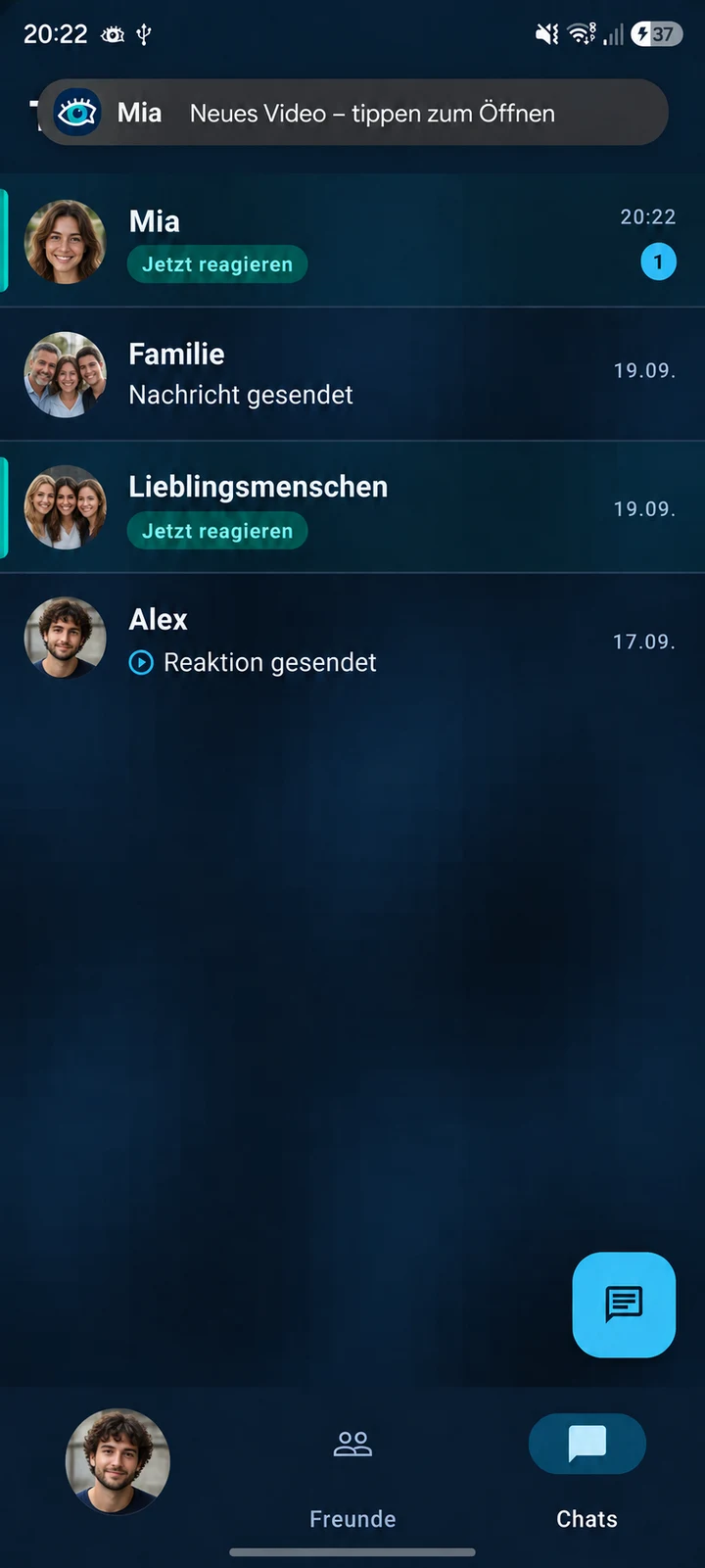
Step 1 / 6 · Notification
Tap the notification to open your chat.
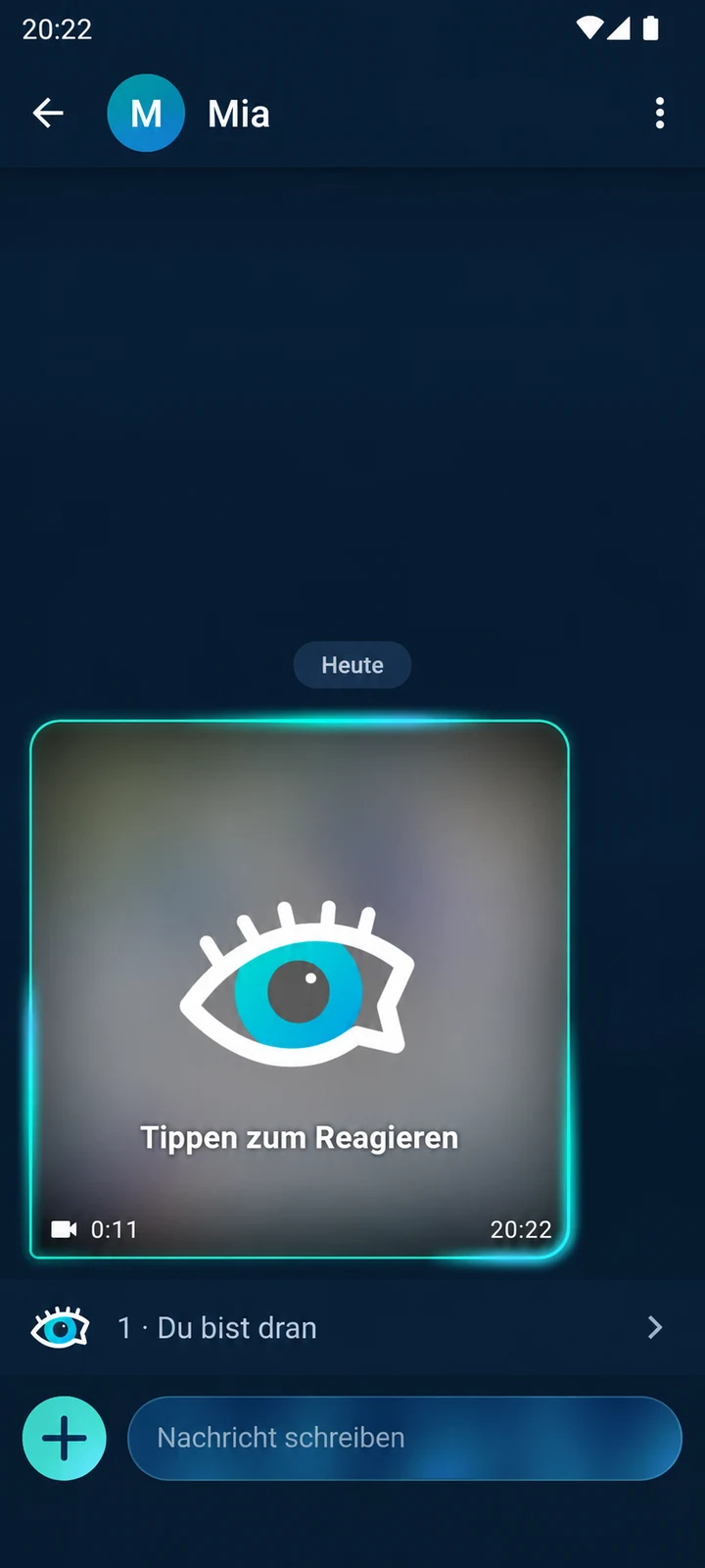
Step 2 / 6 · Hidden moment
The moment stays behind frosted glass. Tap when you are ready.
Step 3 / 6 · Your choice
Normal, blur, AR mask or voice only. With the camera on, expressions are captured for the timeline.
Your camera shows you as you are. Recording has not started yet.
Your camera shows you as you are. Recording has not started yet.You stay visible while your background becomes blurred.An avatar or face mask follows your expressions.The camera stays off. Tepki records only your voice while you watch the original and sends it encrypted if you choose to.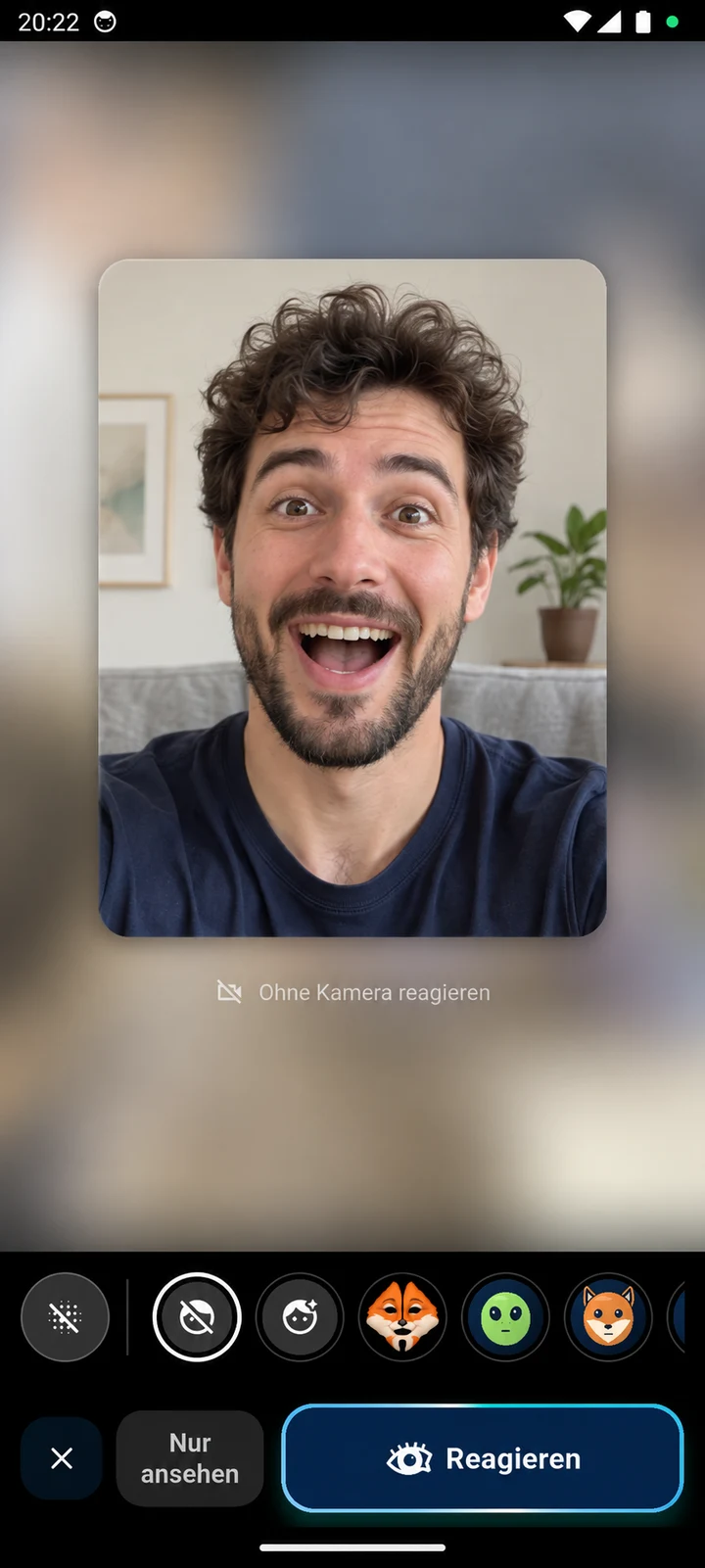
Step 4 / 6 · Countdown & recording
3, 2, 1 — the moment appears. Your camera stays in a small preview as your reaction is recorded.

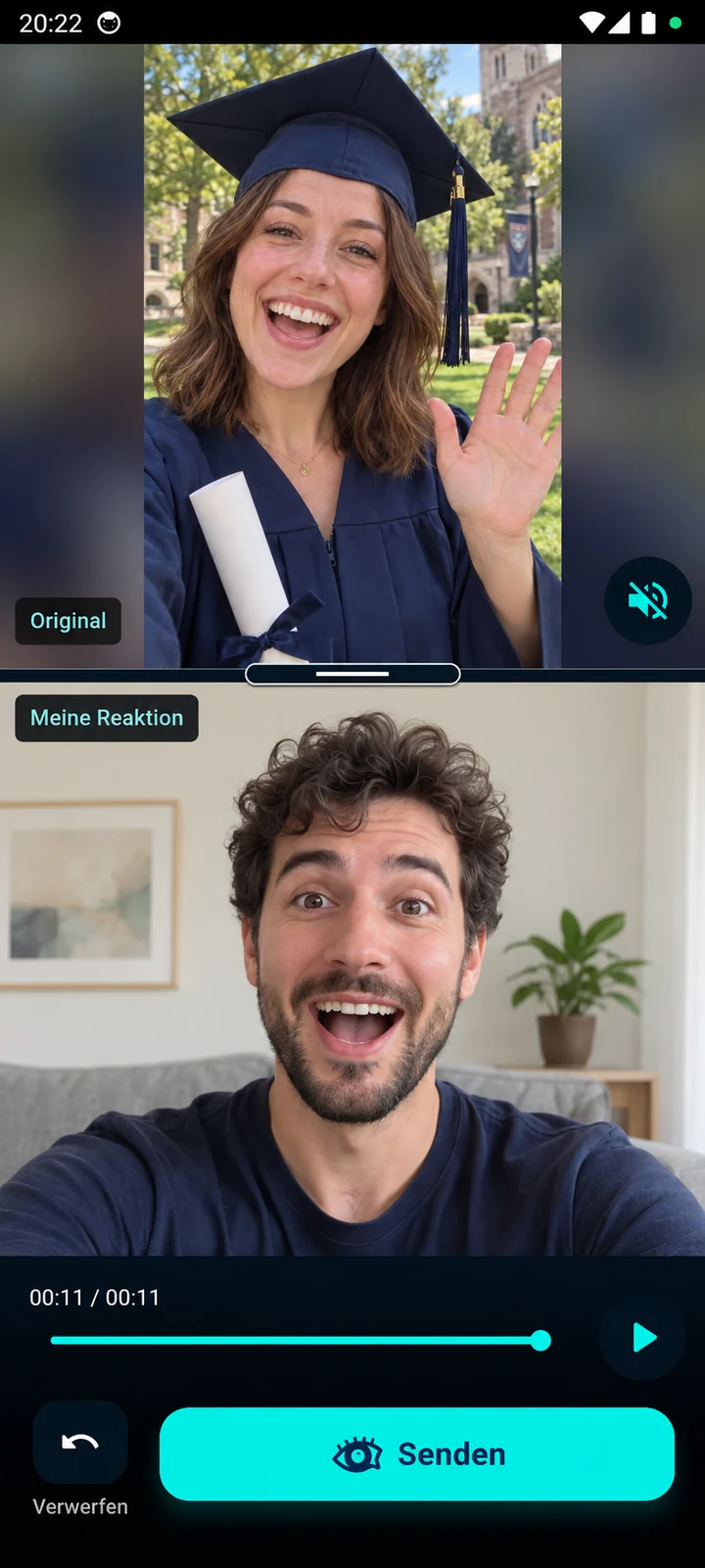
Step 5 / 6 · Review first
Watch the original and your reaction together. Then choose: send or discard.
Step 6 / 6 · Send & delivery
Your reaction in a round preview. Two blue ticks confirm delivery.
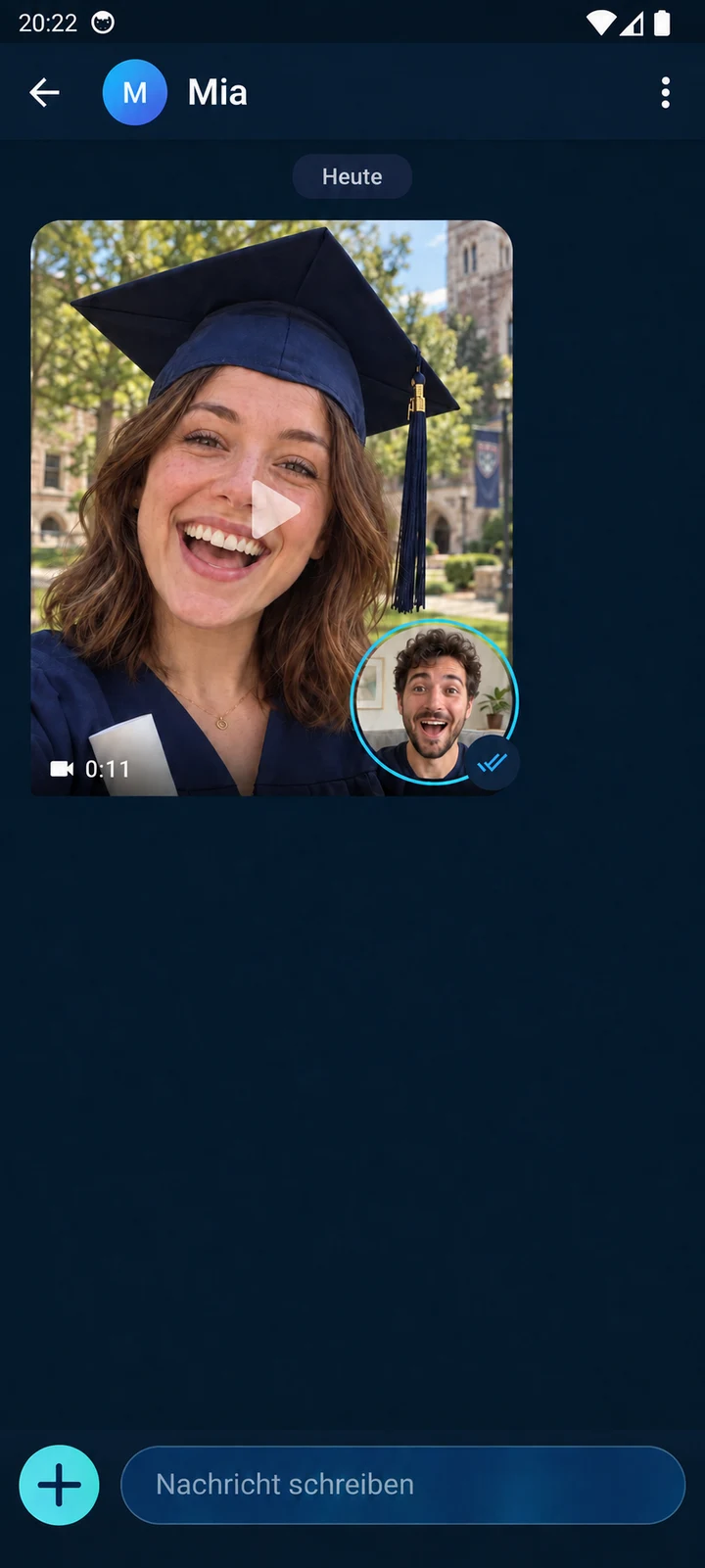
App views with fictional example content, partly AI-generated. The no-camera-image view and fox avatar come directly from the emulator.
Group reactions
In your group chat, each recorded reaction stays attached to the shared original. Watch several reactions together in a grid, or choose a person and switch to the next. See how your friends experienced the same moment.
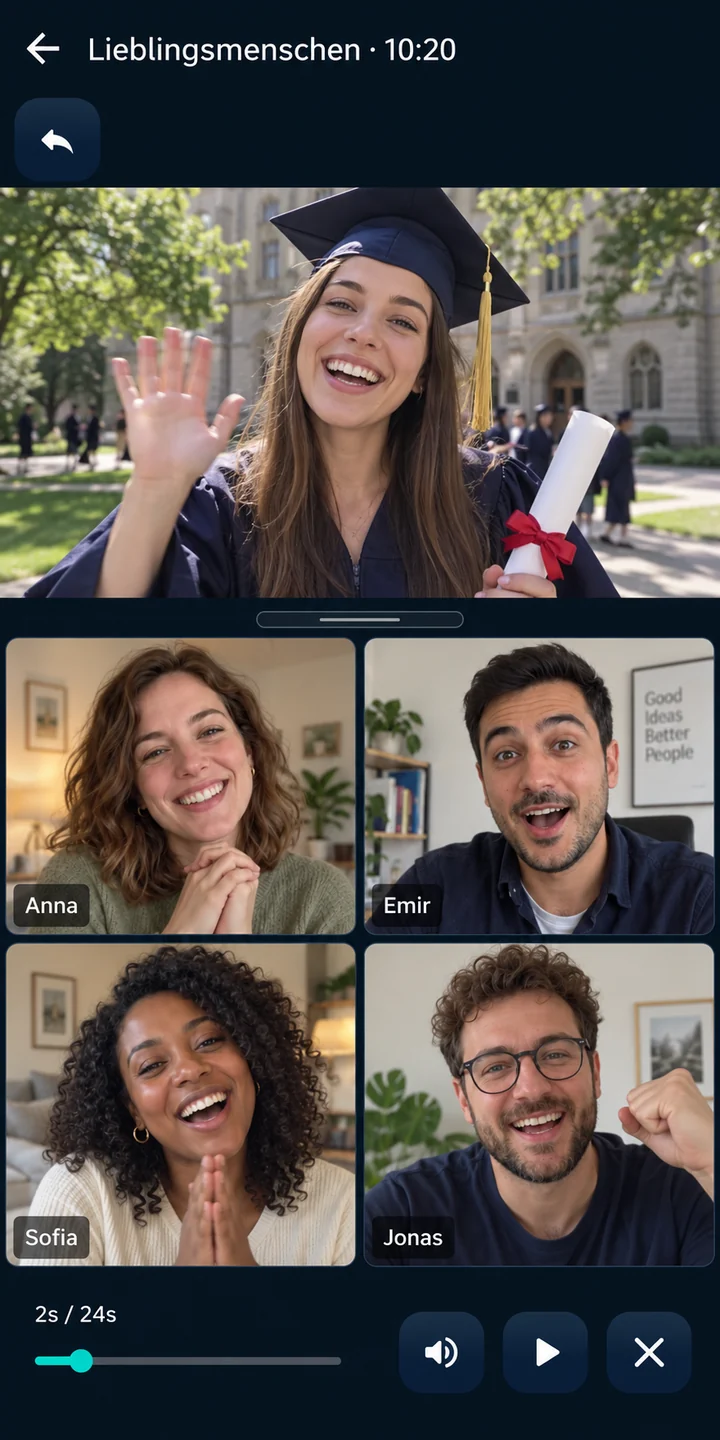
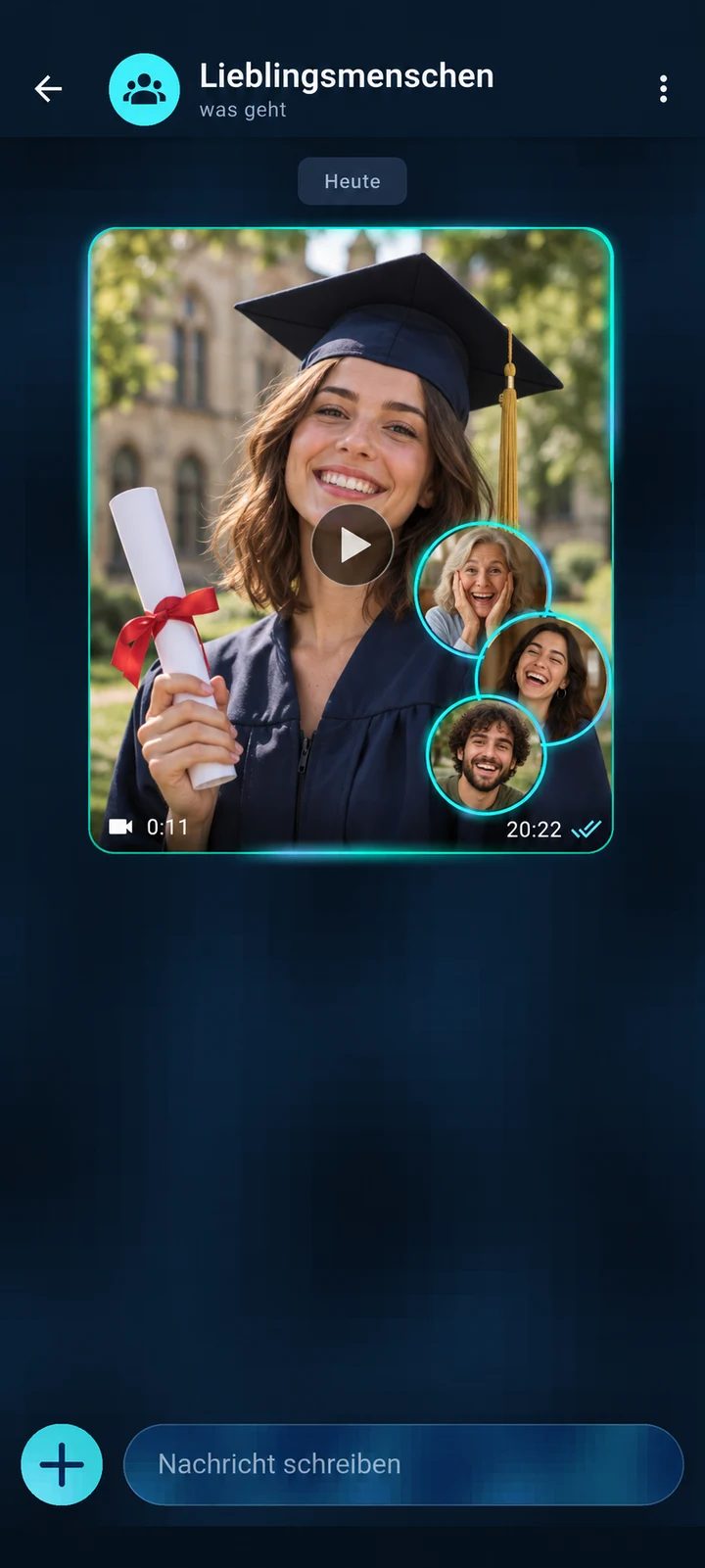 With the original in your group chat
Calls in Tepki
Call your favourite people directly in Tepki with voice or video. One to one or together as a group. Share your screen when you want to look at something together.
Video with four
Laugh, share stories and spend time together. The whole group joins your video call – shown here with four people.
Enlarge app view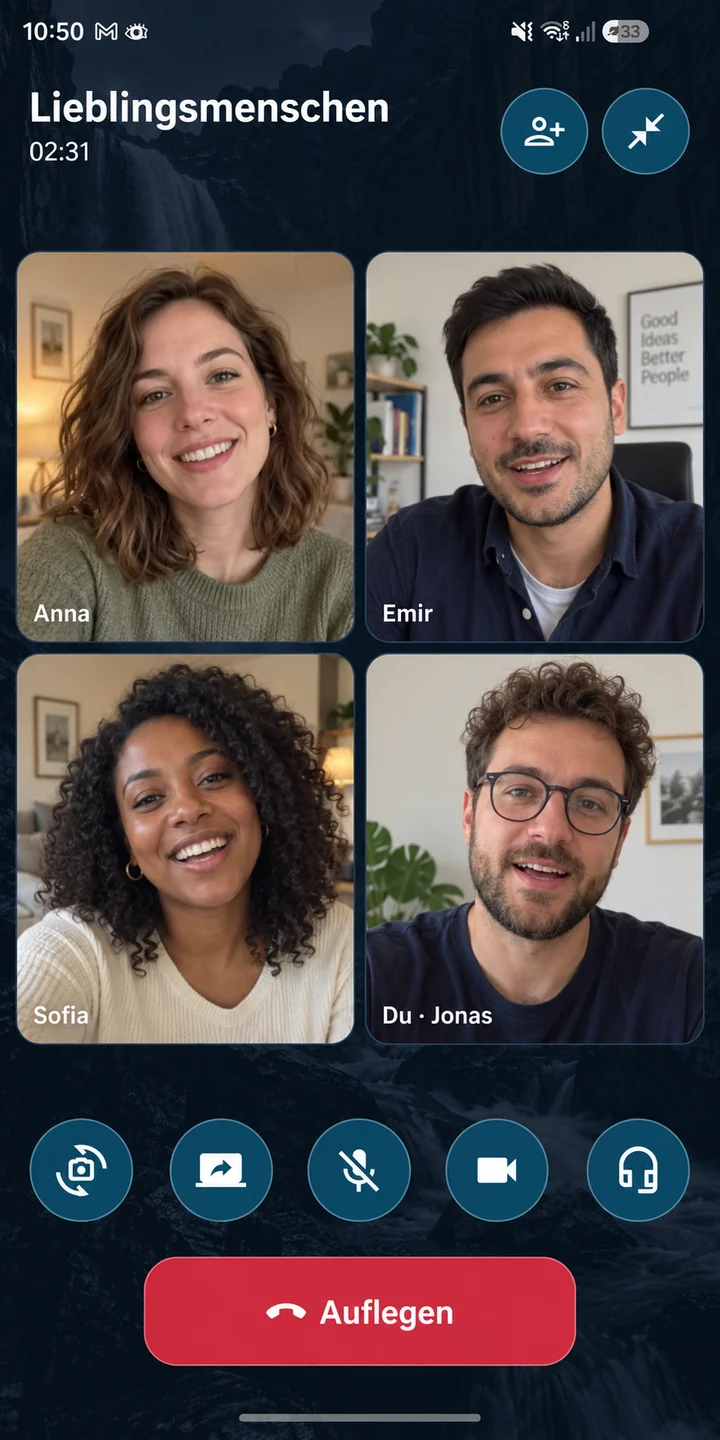
Video for two
See each other as you talk, even when you are far apart. Your friend fills the main view, with your own camera in a small preview.
Enlarge app view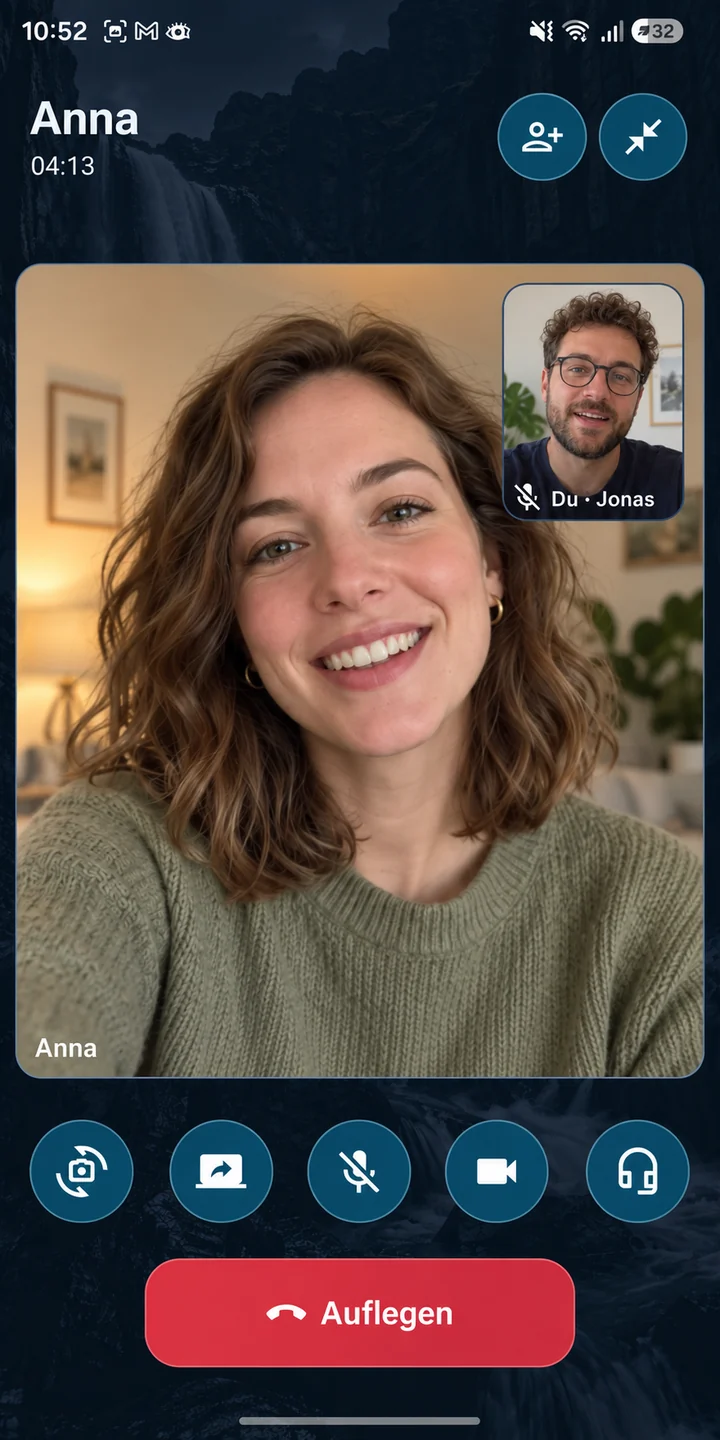
Voice for two
For a quick question or a conversation that can take its time. Talk to your favourite person with your camera off.
Enlarge app view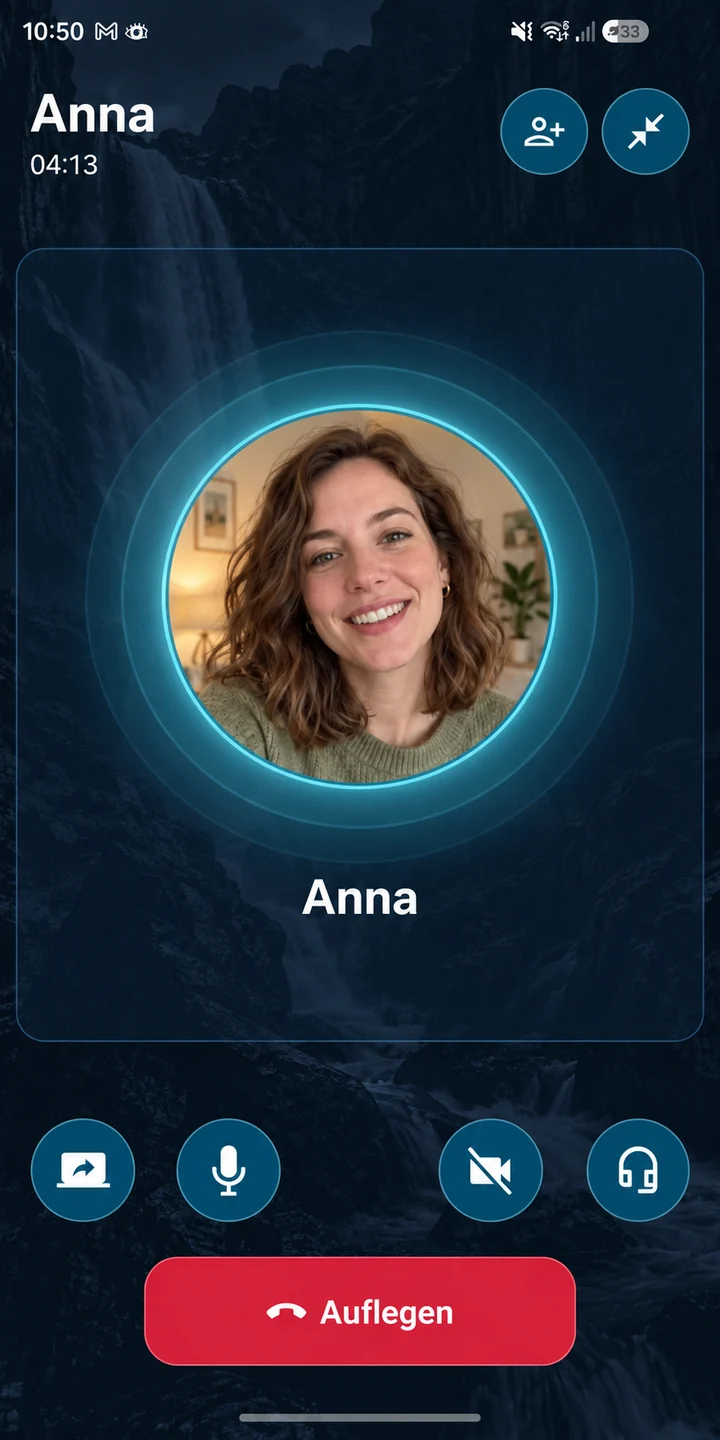
Voice with four
Listen, share stories and laugh together. Keep the group conversation going with your cameras off.
Enlarge app view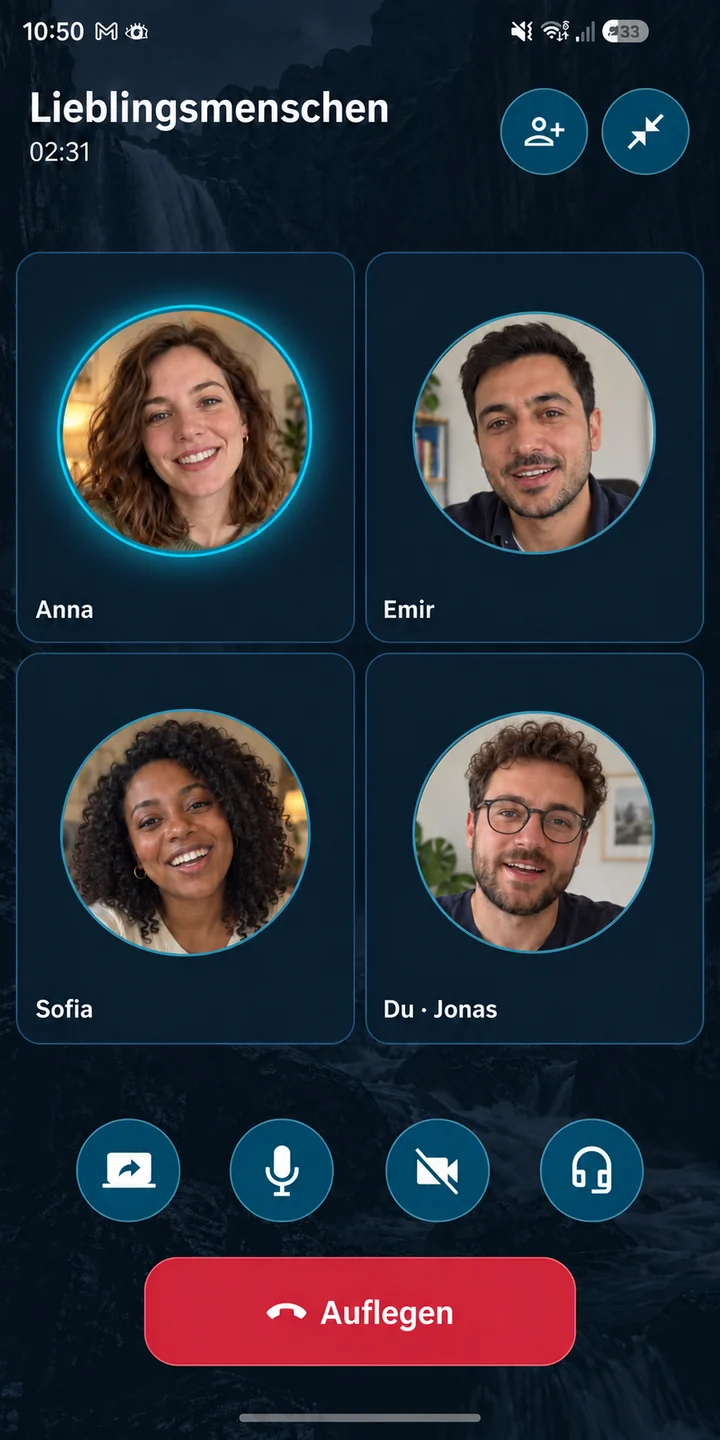
Share your screen
Photos, plans or something new: share your screen in a group call. The others can enlarge the shared view and keep seeing everyone in the call.
Enlarge app view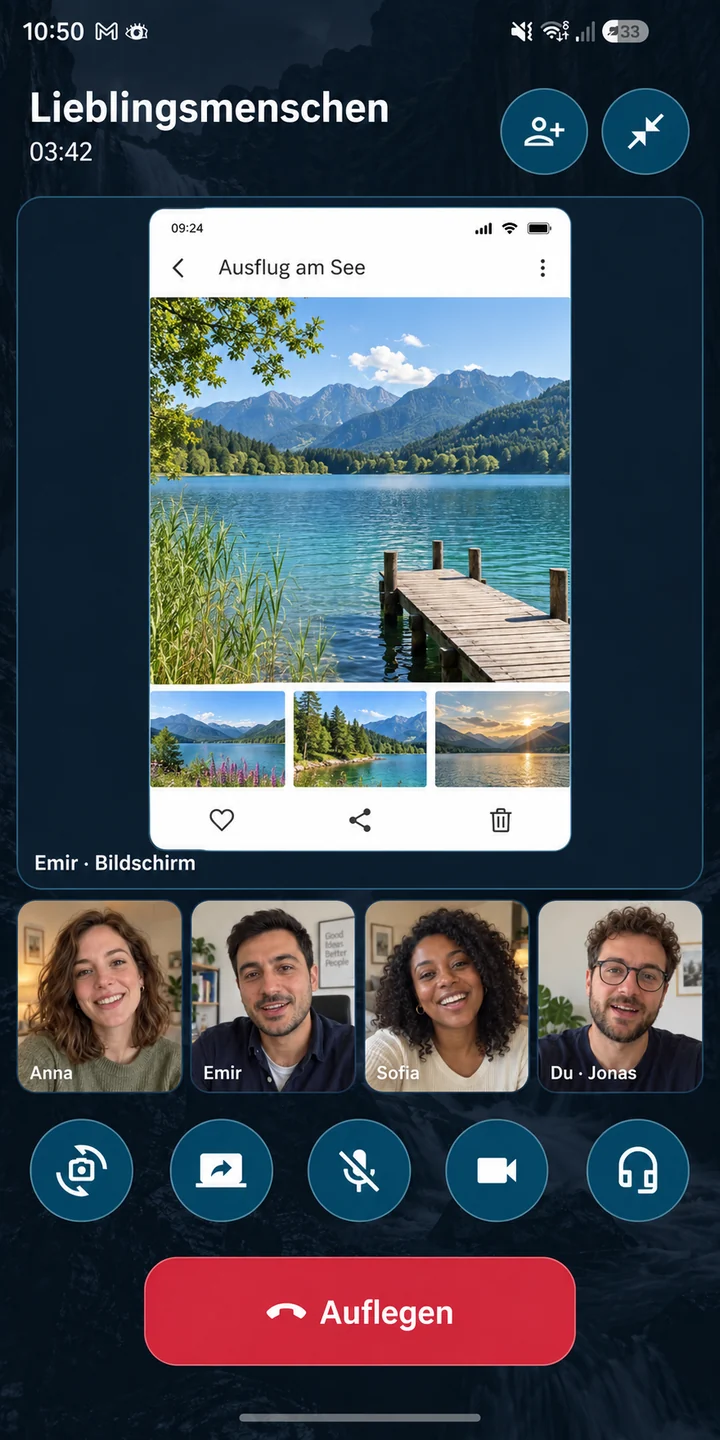
AI-illustrated app views with fictional people and German example interfaces.
Personal stays personal

Tepki implements the Signal Protocol for end-to-end encrypted messages and media.
Developed in Germany. With respect for your personal moments.
Tepki shows no ads and sells no data. Personal content is not a business model.
Life is full of these moments

For your family
Share that first little step as a video. If Grandma chooses to react, you can later watch her expression alongside your original.
Reaction steps
For your story
A personal video greeting, a shared memory, a small surprise. Invite your favourite person to respond with a reaction.
Reaction steps
For the big moment
Send the moment after the ceremony to your family. Watch the original and their voluntarily recorded reaction together again.
Reaction steps
For your favourite people
Record a birthday video together and share it personally. Their reaction turns the greeting into a memory you can watch again.
Reaction steps
For your travels
A hello from the coast or your first summit: share photos and videos directly with loved ones. You decide whether to request a reaction when sending.
Reaction stepsIllustrative moments · AI-generated images and clips
AI-generated reactions
Official download page
Get Tepki for Android on Google Play. For iPhone and iPad, use Apple TestFlight.
 On Google Play
TEPKI / ANDROID
Get Tepki from Google Play. Updates arrive there automatically – no APK, no detours.
 Beta via TestFlight
TEPKI / iOS
Try Tepki with Apple’s free TestFlight app. Already have TestFlight? Go straight to step 2.
For iPhone & iPad · iOS / iPadOS 16 or later
No invitation code needed.
After installing TestFlight, return to this page. Then open the invitation on your iPhone or iPad.
Join the Tepki betaOpen this link in your browser. Do not enter it as a code in TestFlight.
In TestFlight, tap “Accept”, then “Install”. You can now open Tepki.
You do not need to enter a code. Return to this page and tap “Join the Tepki beta” in step 2. Open the invitation link directly on your iPhone or iPad.
Feedback
An improvement, a wish or something that does not work? Your feedback goes only to us.
Open about the project
What are we working on? What is new? We want development to be easy to follow.